Monitoring AI in Semly is about regularly checking how your brand shows up in answers generated by AI models like ChatGPT, Gemini, Claude, Grok, or Google AI.
Thanks to monitoring, you can see whether AI knows your brand, for what kinds of questions it mentions it, whether it recommends it, in what position it shows it, and which sources it uses when creating answers.
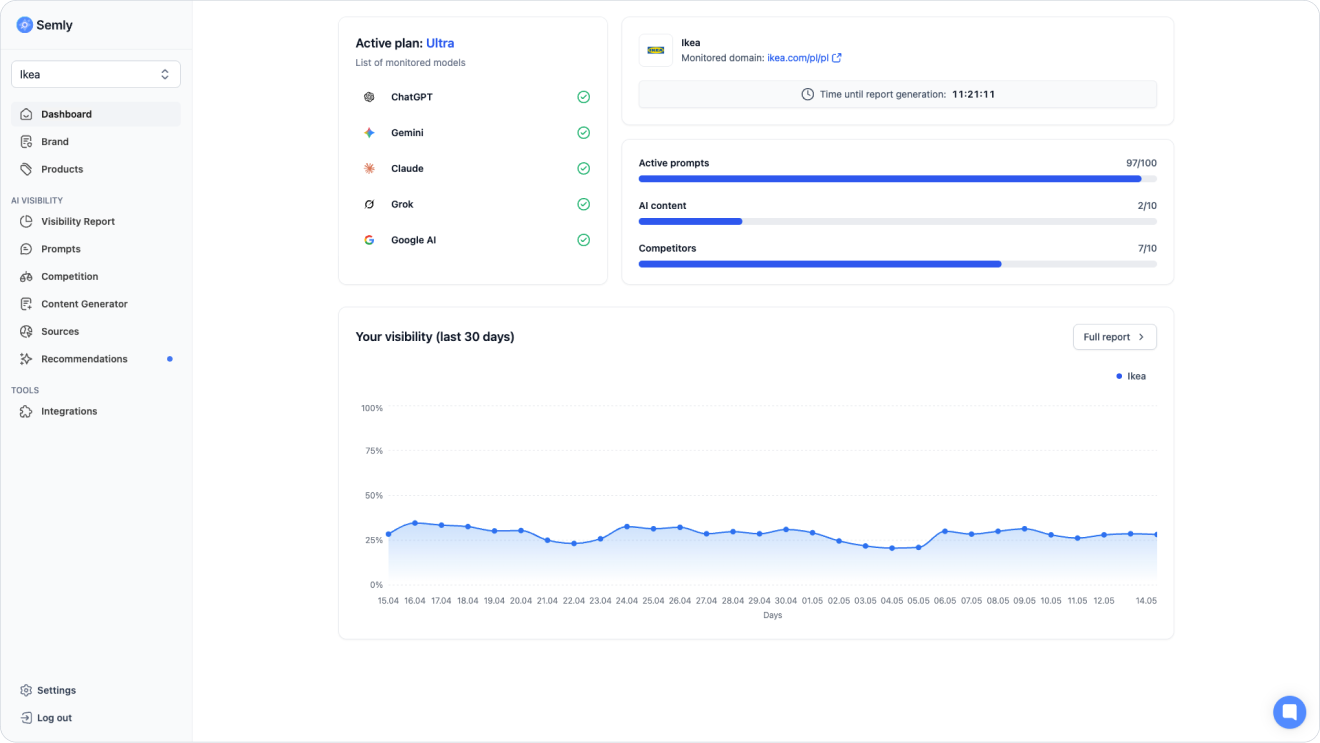
Semly analyzes AI answers for selected prompts, meaning questions that your potential customers might ask.
A prompt might look like this, for example:
I’m looking for a store where I can order modern living room furniture with delivery and assembly. Where’s the best place to look for it?
or:
Which platform should I choose to run an online store?
For questions like these, Semly checks whether your brand, competitors, sources, and other companies in a given category show up in AI answers.
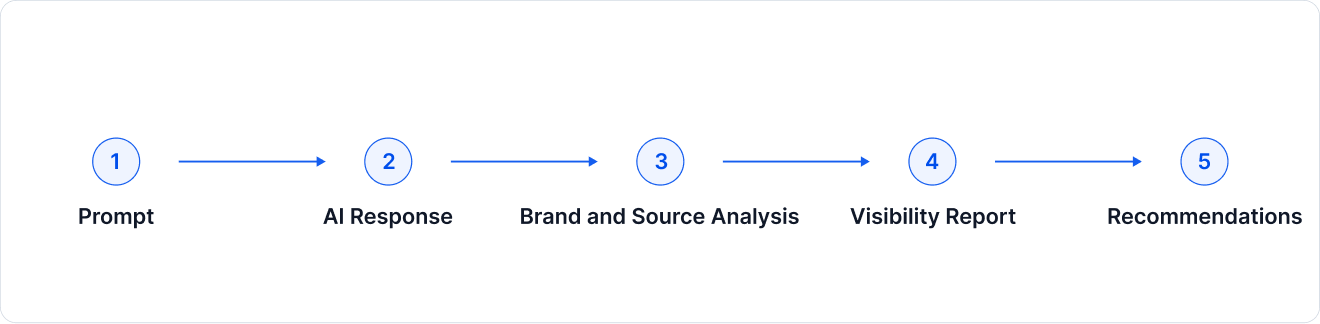
You can describe AI monitoring in Semly in a few steps:
Semly analyzes prompts
The system checks questions added to the project or generated based on your industry, offer, and target group.
AI models generate answers
Semly examines how the selected AI models respond to these questions.
The system detects brands and sources
The answers are analyzed for mentions of your brand, competitors, other companies, and the sources that appear in the response.
Semly calculates metrics
Based on the collected answers, the system calculates visibility, position, sentiment, mentions, SOV (Share of Voice), and other metrics.
The results go into a report
The data is presented in the panel so you can track changes over time and take specific actions.
A prompt is a question or command typed into an AI model by users.
In Semly, a prompt represents a real user intent, meaning a situation where a potential customer is looking for a product, service, brand, comparison, or recommendation.
In classic SEO you often analyze short phrases, for example:
living room furniture
In AI, the user more often asks a full question:
I’m looking for modern living room furniture with delivery and assembly. Which store is worth choosing?
That’s why in Semly prompts are more natural, longer, and closer to a real conversation with AI.
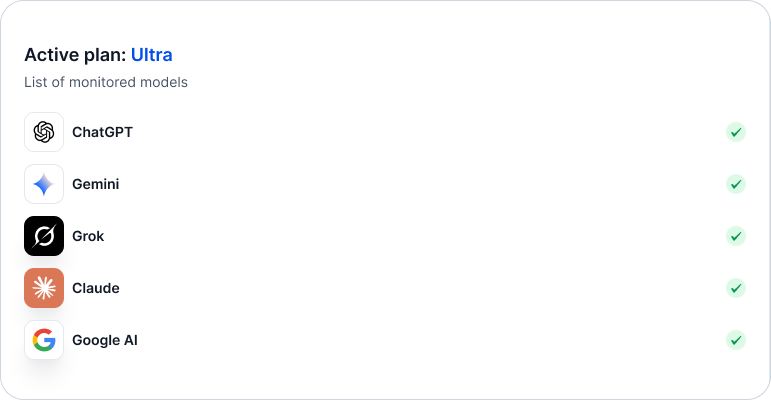
Depending on the active plan, Semly can monitor different AI models and systems, including:
ChatGPT
Gemini
Claude
Grok
Google AI
This way you can see whether your brand is visible only in one model or shows up more broadly across different AI environments.
Semly checks whether your brand has been detected in the AI’s answer.
Based on this, it calculates among other things:
Visibility – how often the brand appears in answers.
Position – in which spot the brand appears in the recommendation.
Sentiment – what tone the AI uses to describe the brand.
SOV – what share the brand has compared to other brands or sources.
Sources – which domains and materials the AI uses.
Example:
If for a given prompt Semly analyzes 100 answers and your brand appears in 25 of them, the visibility is 25%.
AI answers aren’t fixed. The same model can respond differently depending on time, available sources, model updates, the question’s context, or the way the answer is generated.
Changes in results can come from, among other things:
AI model updates
new sources appearing on the Internet
changes on your website
changes in competitors’ content
seasonality of queries
differences between AI models
changes in the product feed or brand data
That’s why a single result shouldn’t be treated as a final evaluation. What matters most is the visibility trend over time.
It’s best to analyze the results on a few levels.
First check whether your brand appears at all in AI answers for the most important prompts. If it doesn’t show up, it’s worth checking brand data, products, sources, and recommendations.
Just being present isn’t enough. What matters is whether the brand appears regularly or only from time to time. This is what the visibility metric is for.
If the brand shows up in 5th or 6th place, it’s visible, but it might not be the main recommendation. A high position, e.g. #1, #2 or #3, means a higher chance that the user will notice the brand.
Sentiment shows whether AI describes the brand positively, neutrally, or negatively. High visibility with weak sentiment may mean that the brand is known, but not necessarily well perceived.
Sources help you understand why AI recommends specific brands.If competitors show up more often, check which sources support them and whether your brand can also be present there.
SEO focuses mainly on the visibility of a website in search results.
AI monitoring shows how the brand appears in answers generated by AI models.
The difference matters:
in SEO the user sees a list of links
in AI the user often gets a ready-made recommendation
in SEO what matters is the position of the page
in AI what matters is whether the model mentions, describes, and recommends the brand
in SEO the source of traffic is the click
in AI the decision can already start in the model’s very answer
That’s why AI monitoring helps you understand not only whether a user can find your site, but also whether AI considers your brand worth recommending.
If monitoring shows low visibility, start with a few basic steps:
Check if the brand profile is fully filled out
Make sure the products have been imported correctly (online stores only)
Analyze the prompts where your brand should appear – check if they aren’t too generic
Check which brands show up instead of yours
See which sources the AI models use
Follow the recommendations marked as critical or high
Consider creating content that answers important customer questions
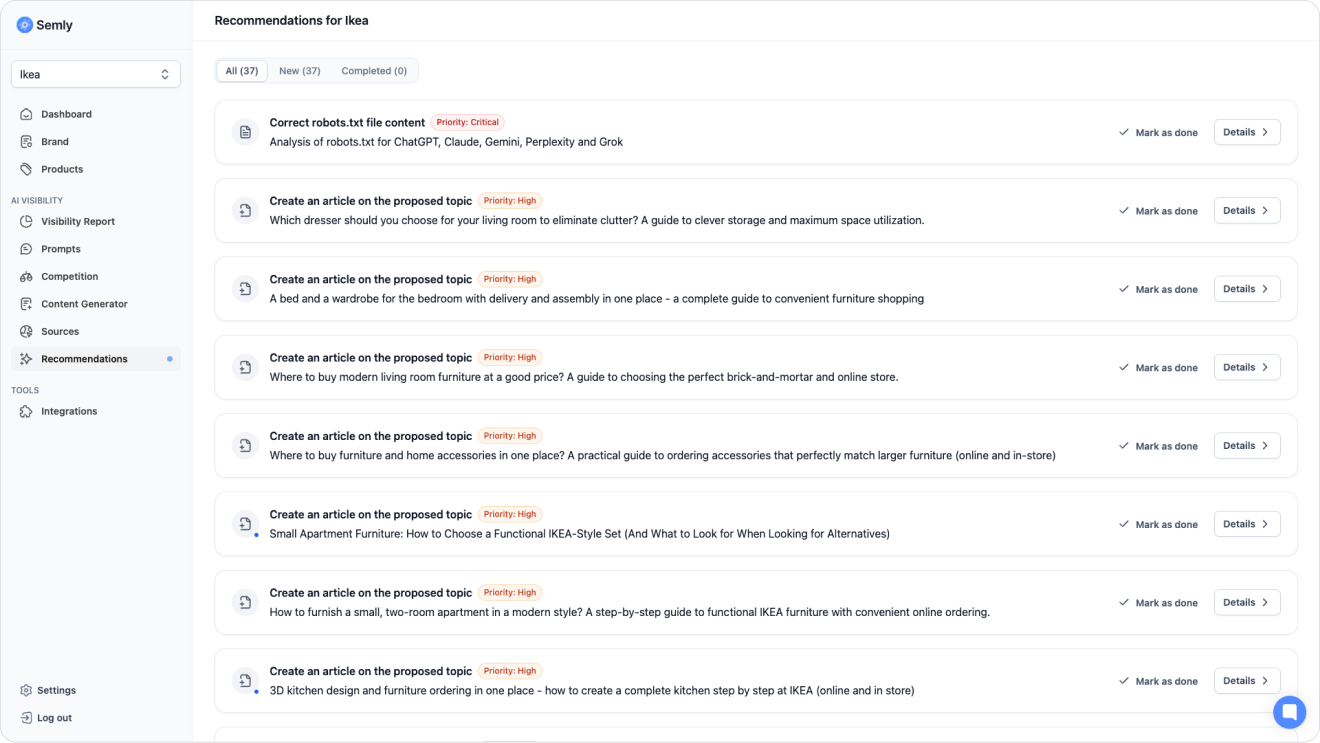
Semly generates visibility reports every 24 hours. It’s best to check regularly:
main visibility report
most important prompts
position changes
sentiment
sources
recommendations
competition
You don’t need to analyze all the data every day. In practice, it’s worth paying attention mainly to:
big drops in visibility
new sources
prompts with high purchase value
competitors who start showing up more often
high-priority recommendations
Once you understand how AI monitoring works, it’s worth moving on to the following articles:
Key metrics
How to read results and metrics in Semly. A guide to brand visibility analytics in AI answers.
Quick start with Semly
Initial account setup.
How to read the Visibility report
Learn how to analyze the Visibility report in Semly and check how your brand appears in AI answers.
What AI answer sources are
Find out what sources are in Semly and why they matter a lot for brand visibility in AI answers.
AI monitoring is the starting point. It gives the most value when you regularly analyze the data and implement recommendations that help improve your brand’s visibility in AI answers.